


Spider Solitaire
4.71.83K Reviews
App Specs
- Version
- 1.7.18
- Updated On
- License
- Free
- Downloads
- 5,000,000+
- Developer
- Classic Puzzle Games Maker
- Categories
- Board
- Platform
- Android, iOS
Screenshots
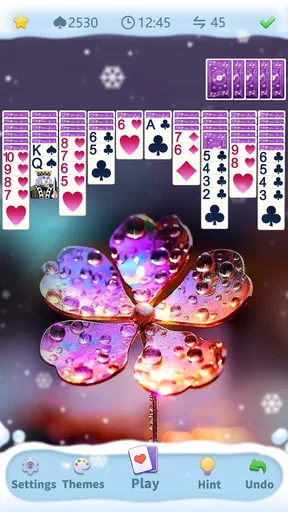
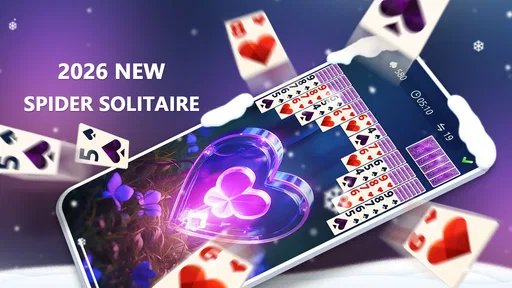
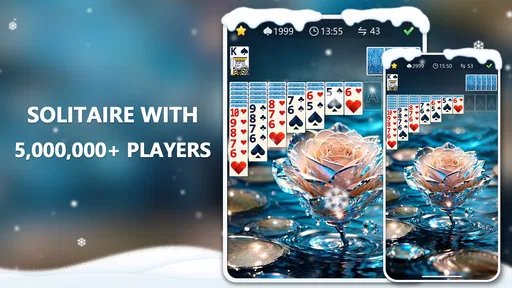
 Analysis by AppCompare
At home, a quick card game can be an easy way to fill a quiet gap without turning on a TV or finding a group activity everyone wants to join. I’ve found that Spider Solitaire suits those small pauses: one person can pick it up, play at their own pace, and put it down when something else needs attention. It works well on a shared tablet or phone as a casual option, though I’d treat it as a personal game rather than a shared scorekeeping space.
A small game that fits around household routines
Picture a familiar evening: dinner is finished, someone is waiting for the kettle, and another person has a few minutes before heading out. Spider Solitaire is a natural fit for that in-between time because it doesn’t require a second player or a planned session. A household member can start a hand, think through a few moves, and stop when needed. If the device is passed along, the next person can simply begin their own round rather than needing everyone to learn a complicated setup.
That independence is also a limit. This is still a solo card game, not a way for family members to play together or coordinate turns in a social match. If your household is looking for conversation, teamwork, or direct competition, a board game or a multiplayer card app will do a better job. I’d choose this one when the goal is quiet individual entertainment, especially during waits or short breaks.
Setting expectations on a shared device
Before putting any game on a shared phone or tablet, I’d agree on a simple boundary: whose game is currently open, and whether it’s fine to end that session when someone else needs the device. That practical arrangement matters more than any assumption that a solitaire app will manage household accounts or keep each person’s progress separate. On a device used by several people, treat saved play and any personal preferences as belonging to whoever last used the game unless you have confirmed otherwise.
For a parent, that means the sensible approach is to check the game together first, then decide whether it belongs on the family device and when it can be used. The title is free to play, but that alone doesn’t answer questions about the wider experience or household rules. I’d also avoid promising a child that progress or settings will be kept in separate profiles. If distinct personal records are important, each person should use a device or account arrangement they understand and control.
Who is likely to enjoy this kind of play
I’d recommend this to people who already enjoy arranging cards, solving a puzzle alone, or having a low-pressure activity to return to between tasks. It can suit a beginner who wants time to learn the rhythm of a solitaire layout, as well as someone who likes weighing possible moves. The board-game category is a useful clue: the appeal comes from thinking through a position, not from action, a story campaign, or competing in real time.
It is less suited to anyone who wants a lively group game, a strong narrative, or a reason to keep in touch with friends inside the app. People who get frustrated by replaying a difficult arrangement may also prefer a lighter casual game with more varied goals. I’d choose Spider Solitaire for patient, self-directed play, not as an all-purpose answer to every kind of downtime.
Worth Reading Before You Choose

EA SPORTS FC Mobile 26 Is a Bigger Football Game, but It Takes Time

Flipboard Shows What News Apps Must Do Beyond the Feed

Switching to Android Auto Means Rethinking Your Driving Routine

Google Calendar Makes a Crowded Week Easier to Manage

Ludo King Makes the Most of the Minutes Between Plans

Baby Panda World Brings Quick Play to Modern Phones, but Its Game Library Feels Busy
If you want several people involved, a physical deck or a multiplayer card game is a better alternative. If you want a quick solo puzzle with fewer cards to track, another solitaire format may feel less demanding. Spider asks you to keep several sequences in mind, so the challenge is part of its appeal, but it can also make a short break feel more mentally involved than expected.
If you’re anything like me, you’ve probably found yourself trying to kill time while waiting for an appointment or during your daily commute. That's where Spider Solitaire comes into play. This classic card game has made its way from the dusty shelves of old PCs to the sleek screens of our smartphones, and I've been playing it non-stop! Let's dive into what makes this app a must-have.
The Classic Card Game Experience
Remember those long hours spent on the computer trying to solve Spider Solitaire with its tricky decks and challenging moves? The app brings all of that nostalgia right to your fingertips. The interface is clean and straightforward, making it feel like the good old days but with a modern twist. The cards are easy to move, and the game responds smoothly even on older devices, which is a huge plus.
Features That Keep You Hooked
One of the things I love about this app is its customizable settings. You can choose from different levels of difficulty, depending on how much of a challenge you're up for. Whether you're a newbie or a seasoned pro, there's something here for everyone. Plus, the app offers a hint system that can be a real lifesaver when you find yourself stuck.
Another cool feature is the option to play offline. This means you can enjoy the game anywhere, anytime, without worrying about a Wi-Fi connection. Perfect for those long flights or when you’re off the grid.
Engaging and Rewarding
The satisfaction of solving a difficult layout is what keeps me coming back. The app even tracks your stats, like your best times and the number of games won, so you can see how you’re improving over time. It’s like a friendly competition against yourself!
For those who love a good leaderboard, the app connects you to a global ranking system. Compete with players from all over the world and see where you stand. It's a fun way to add a bit of friendly rivalry to the mix.
Visuals and Soundtrack
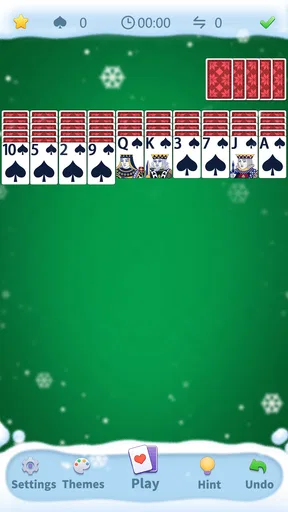
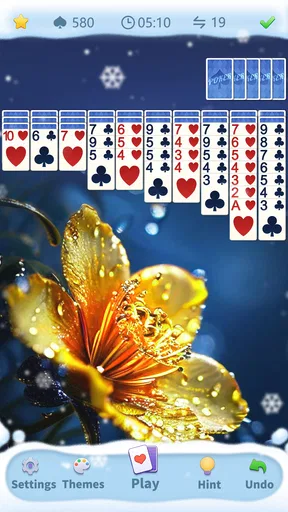
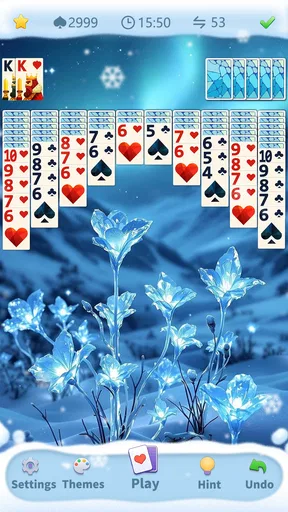
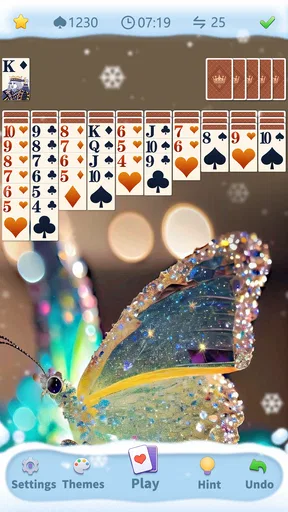
Visually, the app is pleasing without being overly flashy. The backgrounds are simple, and the card faces are clear, making it easy on the eyes during long sessions. The soundtrack is subtle and not distracting, which is ideal when you’re deep in concentration, trying to solve that last tricky layout.
The design is intuitive, and the touch controls feel natural. It’s a testament to how well the developers have managed to adapt a classic game for modern devices.
Family fit, age context, and trust
The game is rated for Everyone, and its familiar playing-card format makes the basic idea easy to explain to a child or an older relative. That rating is useful context, but I wouldn’t treat it as a substitute for checking the game together or deciding what screen time makes sense in your home. A child may enjoy spotting sequences, while an adult may prefer the quieter concentration; either way, the experience remains individual rather than a family activity with shared turns.
It comes from Classic Puzzle Games Maker, and the audience is broad: it has a 4.7 average from around 28,000 ratings, with over five million installs. Those figures suggest that many players have found the familiar format appealing, but popularity doesn’t tell me whether a particular household will like the pace. I’d still try a session together and see whether the card layout feels comfortable to read and handle on your device.
One useful habit is to decide in advance whether a shared device is for occasional play or whether someone will use it regularly. That avoids arguments over a game left open, especially if another person expects to use the phone. I’d also keep expectations modest about competition: leaderboards can add a personal target, but they don’t replace face-to-face play or guarantee that family members will be comparing like-for-like sessions.
Making each session more satisfying
For a more deliberate game, I try not to move the first card that looks useful. I scan the columns for a move that exposes a hidden card or creates room to shift a sequence; opening information can be more valuable than making a tidy-looking stack. When I’m stuck, a hint is best treated as a nudge to inspect the board, not an instruction to tap without thinking. That keeps the puzzle engaging instead of turning the session into a chain of prompted moves.
Short sessions also benefit from a clear stopping point. I’ll finish a move or pause after uncovering a card rather than leave the game mid-thought when someone else needs the device. Offline play is especially handy in places where connectivity is unreliable, but I’d start a round only when I have enough time to enjoy it; a game can be easy to open and still take more attention than a quick glance at a notification.
The game is free, and the current version is 1.7.17. It was released on May 28, 2023, and runs on Android 6.0 or later. For someone choosing an app for an older compatible phone, that minimum system requirement is worth checking before installing. It is a board-style card game from a focused puzzle developer, rather than a broad collection of unrelated activities, so its value depends on whether this particular kind of solitaire is what you want to return to.
How it compares with other card choices
Compared with a simpler solitaire variant, Spider can feel more like planning a small system: several columns compete for attention, and a move that helps one sequence may limit another. That extra complexity is why I prefer it when I want a proper mental pause rather than a game I can play almost automatically. If I have only a moment and don’t want to track multiple sequences, a simpler card puzzle is the gentler pick.
Compared with a physical deck, the phone version is convenient and self-contained: there’s no need to shuffle, clear a table, or find another person. The trade-off is that the screen makes the experience less tactile, and a solo digital game won’t create the same social moment as dealing cards with someone. On a small display, cards can also feel crowded, so I’d use a larger screen when available or take breaks if concentrating on the layout becomes tiring.
One question people often have is whether they need an internet connection. I find the offline option makes it practical for travel and dead zones, though I’d expect online rankings to be relevant only when a connection is available. Another is whether it suits a complete beginner: the adjustable difficulty and hints make it approachable, but patience still matters because the fun comes from thinking through the arrangement rather than receiving constant novelty.
Where the experience has limits
The strongest reason to pass is simple: if you want every session to feel new, a traditional card puzzle may become repetitive. The familiar layout is a comfort for some of us, but it doesn’t offer the changing characters, levels, or social interaction that people look for in other mobile games. The stats and global ranking can give a personal goal, yet I wouldn’t install it solely for competition; the core satisfaction is solving the cards in front of you.
There is also a difference between a game being easy to operate and being effortless to play. Touch controls may feel natural, but the decisions can still demand concentration, especially when you’re trying to preserve useful moves. I’d avoid starting a challenging hand when I need to respond immediately to someone or when I’m too tired to follow the columns. In those moments, a simple pause or a less demanding activity is a better choice.
My household verdict
For a home that wants a quiet, no-partner-needed card game, this is an easy recommendation. It is free, works offline, and offers enough challenge settings and hints to make the format approachable without changing what makes Spider Solitaire satisfying. The developer, Classic Puzzle Games Maker, keeps the focus on a familiar board-game experience, while the 4.7 average and five-million-plus installs show that it has found a substantial audience.
I’d use it as a personal option on a shared device only with clear expectations about taking turns with the hardware, not as a shared family account or a promise of separate progress. It is a good match for patient players, commuters, and anyone who likes a quiet puzzle; it is not the right pick for a household hoping for cooperative play, fast variety, or a social card night. If that distinction fits what you want, I’d give it a try and see whether the rhythm of arranging the cards earns a place in your regular downtime.
Pros
- Intuitive interface makes it easy to play.
- Multiple difficulty levels for all players.
- Offline mode available for on-the-go play.
- Customizable themes enhance user experience.
- Smooth performance with minimal bugs.
Cons
- Ads can be intrusive during gameplay.
- Limited customization for card designs.
- No multiplayer mode available.
- Requires frequent updates for new features.
- Battery consumption can be high.
FAQs for Spider Solitaire
What are the main features of Spider Solitaire on mobile?
Spider Solitaire on mobile offers multiple difficulty levels, allowing players to choose from one, two, or four suits. The game includes hints and undo options to assist players during challenging situations. Additionally, it provides a clean user interface with customizable themes and backgrounds to enhance the gaming experience.
Is Spider Solitaire free to download and play?
Yes, Spider Solitaire is typically free to download and play on both Android and iOS devices. However, the app may contain in-app purchases and ads. These purchases can range from ad removal to additional themes or power-ups, enhancing the overall gameplay experience.
Does Spider Solitaire require an internet connection?
No, Spider Solitaire does not require an internet connection to play. The game can be enjoyed offline, making it a perfect companion for travel or situations with limited connectivity. However, an internet connection might be needed for downloading updates or accessing specific features.
Are there any tips for beginners playing Spider Solitaire?
Beginners should start with the one-suit version to grasp the basics of the game. It's crucial to focus on uncovering hidden cards by emptying columns and building sequences from King to Ace. Using the undo feature can also be helpful to rectify mistakes and learn from them.
How does Spider Solitaire ensure accessibility for all players?
Spider Solitaire is designed with accessibility in mind, offering adjustable settings such as font size and color contrast. The game also includes audio cues and easy-to-understand tutorials to assist players with different needs. These features ensure a comfortable experience for a diverse audience.


